setup
the Full Markup view of displaying tracked changes shows formatting changes, which in large docs such as protocols & CSRs could take a while to load and even risk crashing. i can unselect Review > Show Markup > Formatting to hide these changes, which takes a couple of clicks. but in occasions like live group review where the team discuss my screen's showing, it isn't infrequent to have to switch back & forth between Full and Simple Markup. times that to the number of live reviews an MW is to host, a VBA to "easily" toggle between the Markup displays could save quite a few clicks and distraction. ... and hopefully sense of happiness.
solution
the plan
- tell which markup option is on.
- change it to the other.
- if changed to Full Markup, turn off the display of formatting changes.
programming language & module(s)
- VBA
file preps
make the doc to be processed the active document, i.e. the one where the cursor currently is in.
variables to customize
none.
the script
togMark
| Sub togMark() | |
| Dim doc As Document | |
| Dim trkRevStatus As Boolean | |
| Dim selStart, selEnd, safeCount As Long | |
| Dim lan As String | |
| Application.ScreenUpdating = False | |
| System.Cursor = wdCursorWait | |
| Set doc = ActiveDocument | |
| trkRevStatus = doc.TrackRevisions | |
| doc.TrackRevisions = False | |
| selStart = Selection.Start | |
| selEnd = Selection.End | |
| With ActiveWindow.View.RevisionsFilter | |
| If .Markup = wdRevisionsMarkupSimple Then | |
| .Markup = wdRevisionsMarkupAll | |
| ElseIf .Markup = wdRevisionsMarkupAll Then | |
| .Markup = wdRevisionsMarkupSimple | |
| End If | |
| .View = wdRevisionsViewFinal | |
| End With | |
| ActiveWindow.View.ShowFormatChanges = False | |
| doc.Range(selStart, selEnd).Select | |
| doc.TrackRevisions = trkRevStatus | |
| System.Cursor = wdCursorNormal | |
| Application.ScreenUpdating = True | |
| End Sub |
output
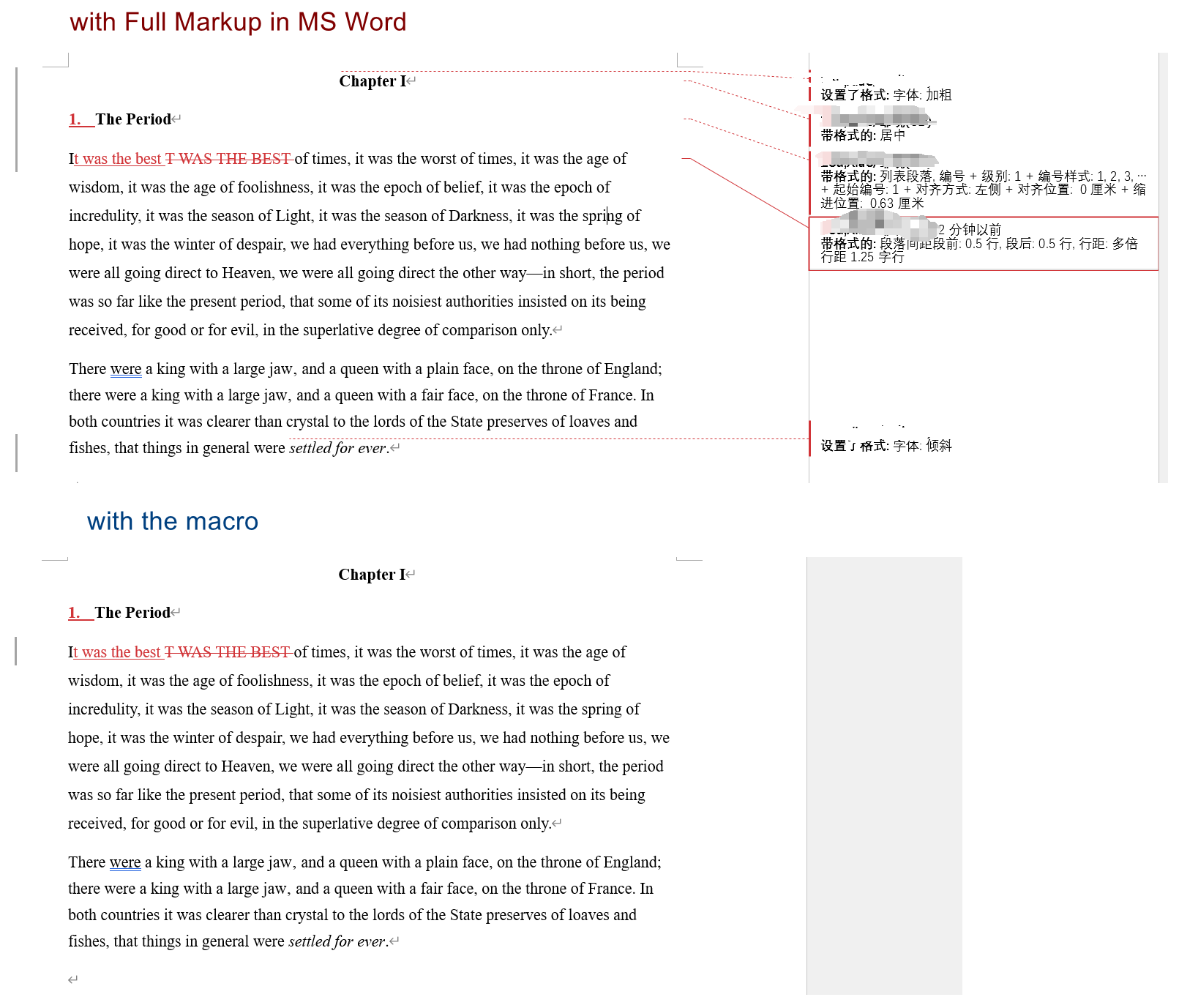
note to self
none.